
Painting the universe...






A little lost, a long way from home, and discovering a universe of adventure.


 Next unlockNew Outfit
Outfits
Game sound is switched off in Settings, so the story stays quiet. Captions still play.
Lanky’sGreat Escape
An unlikely traveler. An extraordinary universe.
Your Progress
Dimensions
Levels
Recent activity
Achievements
World Map
Hop between worlds.Tap an unlocked planet to blast off.
Levels
Avatar Studio
Avatar saved!
Your look is now your Lanky Orbit profile picture. It shows on the menu, your profile and the leaderboard.
Leaderboard
Missions
How to Play
Avoid obstacles. Collect rewards.Stay alive. Beat your high score.
Treasure
Power-ups
Hazards you will meet
Challenge rooms
Pop Lanky Orbit on your home screen and it opens full-screen like a real app. No app store. No download. Just a few taps.
You are already playing Lanky Orbit as an app. Lanky is home!
- 1Open Lanky Orbit in Safari. That is the little compass icon on your iPhone or iPad.
- 2
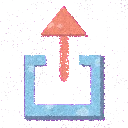 Tap the Share button. It is the little box with an arrow, along the bottom (or top) of Safari.
- 3
 Scroll down and tap "Add to Home Screen". If you do not see it, scroll a little further.
- 4
 Tap "Add". Lanky pops onto your home screen. Tap him any time to play!
- 1Open Lanky Orbit in Chrome.
- 2
 Tap the three dots in the top corner to open the menu.
- 3Tap "Install app" (or "Add to Home screen").
- 4Tap "Install". Lanky joins your apps. Tap him to play!
- 1
 Open Lanky Orbit in Chrome or Edge.
- 2Look at the right end of the address bar for a small install icon (a screen with a down arrow) and click it.
- 3Click "Install". Lanky gets his very own window. On a Mac with Safari, choose File, then "Add to Dock".
Good to know: the home-screen version keeps its own save, separate from your browser. Make a profile first (Progress, then "Save your progress") and your coins, outfits and scores follow you in.
Settings
© 2026 Onanma Okeke. All rights reserved.
Lanky Orbit, its characters, artwork, music and code are protected by copyright. Please do not copy, re-host or redistribute them without written permission. The only official home of the game is lankyorbit.com.
Paused
Game Over
 How far you flew0 m
 Your best ever0
 Goodies grabbed0
 Combo wiggle0